Thursday, February 19, 2009
HDTV is worth every cent
Everything you ever needed to know about the opening credits of The Simpsons, including the new HD version, which you can see (courtesy of Fox), here on YouTube.


Wednesday, February 18, 2009

Tuesday, February 17, 2009

Monday, February 16, 2009
Friday, February 13, 2009
Thursday, February 12, 2009
Brain colours

So, you've got red, and blue. One colour fuels creativity, the other encourages attentiveness. But which one's which? Here.
Wednesday, February 11, 2009

Tuesday, February 10, 2009
It's even got a window breaker

As the snow keeps coming, the Stuff website lists your ultimate survival gadgets, including the Swiss Army Rescue Tool - look at all the things it's got.
Monday, February 9, 2009

Friday, February 6, 2009
Twitter - the explanation
I knew it was time to get the hang of Twitter when Philip Schofield joined.
I signed up yonks ago, but never really got started. Knowing that Stephen Fry was tweeting (from the verb "to tweet" - meaning "to use Twitter actively") wasn't enough. I love Stephen Fry and almost everything he does, but I wasn't keen on joining him in the vanguard. He was, after all, only the second person in the UK to buy an Apple computer (the first was Douglas Adams), and I still haven't followed suit.
And when Jonathan Ross started tweeting, that didn't get me moving on Twitter either. Most of his tweets ended up being republished on mainstream news websites during the period of his BBC banishment, and I couldn't really see the point. Barack Obama used it to campaign, but I wasn't voting, and I thought I'd got his basic message already.
But Philip Schofield? That's mainstream.
Between signing up and becoming an active user, one friend tried to get me into it, but didn't succeed. So here's what I didn't learn then, but know now.
What is it?
It's a web interface which allows people to publish short updates on what they're doing.
Like Facebook, then?
Simpler and quicker than Facebook, and with a very different look. Status updates is pretty much all Twitter does.
So what's Twitter got that Facebook hasn't?
1) A simpler layout for viewing status updates and looking back at the tweeting history of individual users.
2) A different type of community - at the moment, there's a range of celebs on there. They might get bored (David Letterman did), but for now it's definitely fun to see what they've got to say, in brief, direct to their audience, unshackled by commissioning editors, producers and schedulers. There's something entirely cute about Philip Schofield telling us that he's having a Chinese takeaway tonight, with salt-and-pepper squid and crispy duck, and just as cute is the fact that I'm slightly interested - if not by what he's doing, then by what he chooses to say. Jonathan Ross has been to the gym. Richard Bacon and Danny Wallace have been taking photos of each other during lunch at the Ivy and simultaneously tweeting them. Stephen Fry got stuck in a lift, and sent us a photo. Alastair Campbell 's been suggesting a correction to John Prescott's blog entry, sub-editor style. It goes on.
3) The ability to incorporate news feeds as well as human feeds - so, if you're logged in and you've just hit refresh, you can get an instant digest of news stories posted in the last few minutes by your chosen range of news providers, all on one screen in headline form, as well as seeing what your mates and the mildly famous contributors have been doing.
4) You can text updates straight to it from your mobile.
5) Some fun software that interfaces smoothly with Twitter - like:
- Tweetdeck , which will run Twitter through an application on your desktop rather than through your browser, giving you a flexible range of layout options and instantly popping up a notification when someone posts
- Twitpic for posting photos straight to Twitter easily
- Ping.fm which will simultaneously update Twitter, your Facebook profile, your blog, your Flickr photo stream, and a range of other social networking sites, all through one gateway with a range of interfaces. You can use ping.fm's website, or you can email into it, connect via MSN messenger (although this doesn't seem to work at present), and eventually you'll be able to text into ping.fm as well. There's also a really neat ping.fm interface for your personalised iGoogle page.
6) It's less addictive and quicker to use, so you could (arguably) use it in an instant at work.
7) It can be easier to start "following" someone. (Following is the equivalent of befriending them on Facebook.) Most people have set up their Twitter profile so that you can start to see their updates without having to get their permission. That's optional, though. Mine isn't set up that way. To see my updates, you have to ask, and I have to say "yes".
So when would you use Twitter, when would you use Facebook, and when would you use a blog?
For me, a blog is something you've considered and spent just a little time working on - even if it's just to find a matching photo or think of a headline. It's something you care about slightly more. And, of course, it's got the flexbility to be much longer. I couldn't publish this piece on Twitter. Way too long.
Using Twitter is sometimes called "micro-blogging" - it's for a quick, instant update, an easy way to post a link you've just found, tell your friends something random, or just a way to get something out there knowing that it's only intended to be ephemeral.
Facebook is a more complete social experience. A Facebook status update might last longer, and it's in an environment which includes pictures, games and other ways to connect with your friends and their friends. Facebook's a hot drink in your favourite room at home with a mate on the phone. Twitter is Sky News running down the street, shouting through your letter box on the way.
And does it do anything else?
Probably. I've got as far as working out that you can reply in public to a Twitterer by prefixing the message with an "@" followed by their user name. (This is the equivalent of Facebook's wall, but again with a simpler layout. The reply becomes your latest update.) You can also add "tags" for any common event on which you, and/or anyone else, are tweeting. You just pop a "#" in front of your chosen tagword, and from there you can search all contributions on that subject. Haven't quite found a good use for that yet. There may be other things it'll do, and new applications developed by third parties are being produced all the time.
You're a convert?
I probably am. It's fun for sheer moments at a time, and I think I get it.
Any more to offer?
No, that's it. Here ends my attempt at explaining Twitter.

Thursday, February 5, 2009

Wednesday, February 4, 2009

Tuesday, February 3, 2009
Under the seas
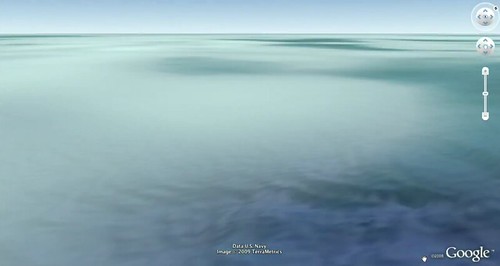
Now, Google Earth turns to the seas - Google Ocean is here, and you can feel as if you were almost there at the launch in San Francisco with this blog written as it happened.
Subscribe to:
Posts (Atom)

